Table of Contents
ToggleIf you’ve ever wanted to inspect a champion skin from every angle, examine ability effects in detail, or preview how a skin looks before dropping 1350 RP, a League of Legends model viewer is your answer. These tools have become indispensable for skin enthusiasts, content creators, and players who want to make informed purchases. Whether you’re hunting for the perfect prestige skin or documenting champion models for creative projects, knowing how to use a model viewer opens up a whole new dimension of League customization. This guide walks you through everything you need to know about accessing, using, and maximizing these tools in 2026.
Key Takeaways
- A League of Legends model viewer lets you inspect 3D champion skins and ability effects in detail before making RP purchases, eliminating buyer’s remorse.
- Community-developed viewers extract game assets from League files and offer real-time 3D rotation, lighting controls, and animation playback for professional content creation.
- Model viewers are essential for content creators—YouTubers use them to capture clean footage for skin spotlights and tier lists without match interference.
- Riot Games permits personal use and non-commercial content featuring champion models, but prohibits selling extracted assets or claiming ownership of their artwork.
- Setup involves locating your League installation, downloading from trusted sources, and allowing the tool to index thousands of model files—expect performance benefits by disabling reflections if your GPU struggles.
- Lighting customization and consistent camera angles are critical for fair skin comparisons; slow-motion playback reveals animation details invisible at normal game speed.
What Is A League Of Legends Model Viewer?
A League of Legends model viewer is a software tool that lets you isolate and inspect 3D champion models, skins, and visual effects outside of an actual match. Instead of seeing a champion compressed into a 1080p screen during gameplay, you can rotate, zoom, and examine every polygon, texture, and animation detail.
These viewers extract the raw game assets, champion models, skin variants, ability particles, emotes, and recall animations, from League‘s game files. You get a clean, zoomable interface with lighting controls and the ability to pause animations frame-by-frame.
Think of it as a virtual dressing room for League. You can preview ultimate skins with all their evolution stages, check how prestige variants shimmer under different lighting, and even export screenshots or footage for content creation. Some advanced viewers let you customize lighting, backgrounds, and camera angles, giving creators the exact shots they need without loading into Practice Tool.
Why Model Viewers Matter For Players And Content Creators
For casual players, the practical benefit is simple: skin purchasing confidence. A 1350 RP skin might look different from the splash art. With a model viewer, you see the actual in-game model at your own pace, rotating it under various lighting conditions. This saves regret and encourages smarter RP spending.
Content creators depend on model viewers for several reasons. YouTubers making skin spotlights, tier lists, and comparison videos use viewers to capture clean footage without match noise. The ability to isolate a champion’s animations, particle effects, and model details at high quality gives creators the material they need for high-production videos. Streamers also use viewers during breaks or content droughts to engage audiences with “what-if” skin combinations or detailed breakdowns.
Design enthusiasts and modding communities benefit too. By reverse-engineering how Riot implements skin details, colors, textures, glow effects, players better understand League’s visual design philosophy. This knowledge spills into fan art, custom skins projects (even if non-functional), and respectful recreation in other engines.
Besides, as League of Legends continues to evolve with new releases and visual updates, having direct access to model data helps players and creators stay current. You’re not relying on patch notes or secondhand descriptions: you’re seeing the changes yourself.
Popular League Of Legends Model Viewer Tools
Skin Spotlight And Official Tools
Riot Games has made official content more accessible in recent years. The in-game skin viewer, available in your client’s champion or collection tab, lets you preview skins with basic lighting and zoom. It’s convenient, always up-to-date, and requires no third-party software, but it’s limited compared to dedicated viewers.
Skin Spotlight, a long-standing community favorite, focuses on providing high-quality video previews of skins with professional cinematography and music. While not a real-time model viewer, it’s the gold standard for reviewing skins before purchase. The channel documents every skin release, prestige variant, and visual update with consistent quality and fast uploads.
Community-Developed Model Extractors
Community-developed tools are where the flexibility lives. Tools like League Model Viewer and LoL Model Extractor let you load game files directly, offering real-time 3D rotation, lighting controls, and animation playback.
Several third-party viewers operate through similar principles:
- Model extraction from game files: These tools read League’s .wad and texture files, extracting champion and skin data.
- Real-time 3D rendering: You get an interactive environment where you control camera position, lighting intensity, and background elements.
- Animation playback: Pause, rewind, or speed up ability effects, dances, emotes, and recalls.
- Export options: Screenshot or record footage at custom resolutions and frame rates.
Tools like those hosted on platforms such as Nexus Mods offer additional features, including batch exporting, texture modification for personal preview purposes, and community-shared presets for lighting and camera angles.
Because these tools interact with League’s game files, staying compliant with Riot’s terms of service is crucial, we’ll cover that shortly. Updates and tool availability can shift based on Riot’s policies, so checking community forums (especially r/leagueoflegends and the League Modding Discord) keeps you informed on which tools are currently safe and functional.
How To Use A League Of Legends Model Viewer
Step-By-Step Setup Guide
Assuming you’re using a community model extractor, here’s the basic workflow:
- Locate your League files: League of Legends installs to a default directory (usually C:Riot GamesLeague of Legends on Windows). You’ll need read access to the game folder.
- Download the model viewer tool: Grab it from a trusted source, community Discord servers, GitHub repositories, or established modding communities. Verify checksums if available to ensure you’re downloading legitimate software.
- Extract and run: Most viewers are standalone .exe files or require Python (check the tool’s documentation). Launch the application.
- Point to your League installation: The tool will ask for your League game directory. Select the correct folder, and the tool scans your game files for champion and skin assets.
- Wait for indexing: The first load takes time, tools must catalog thousands of model files. Depending on your system, this ranges from seconds to a few minutes.
Navigating The Viewer Interface
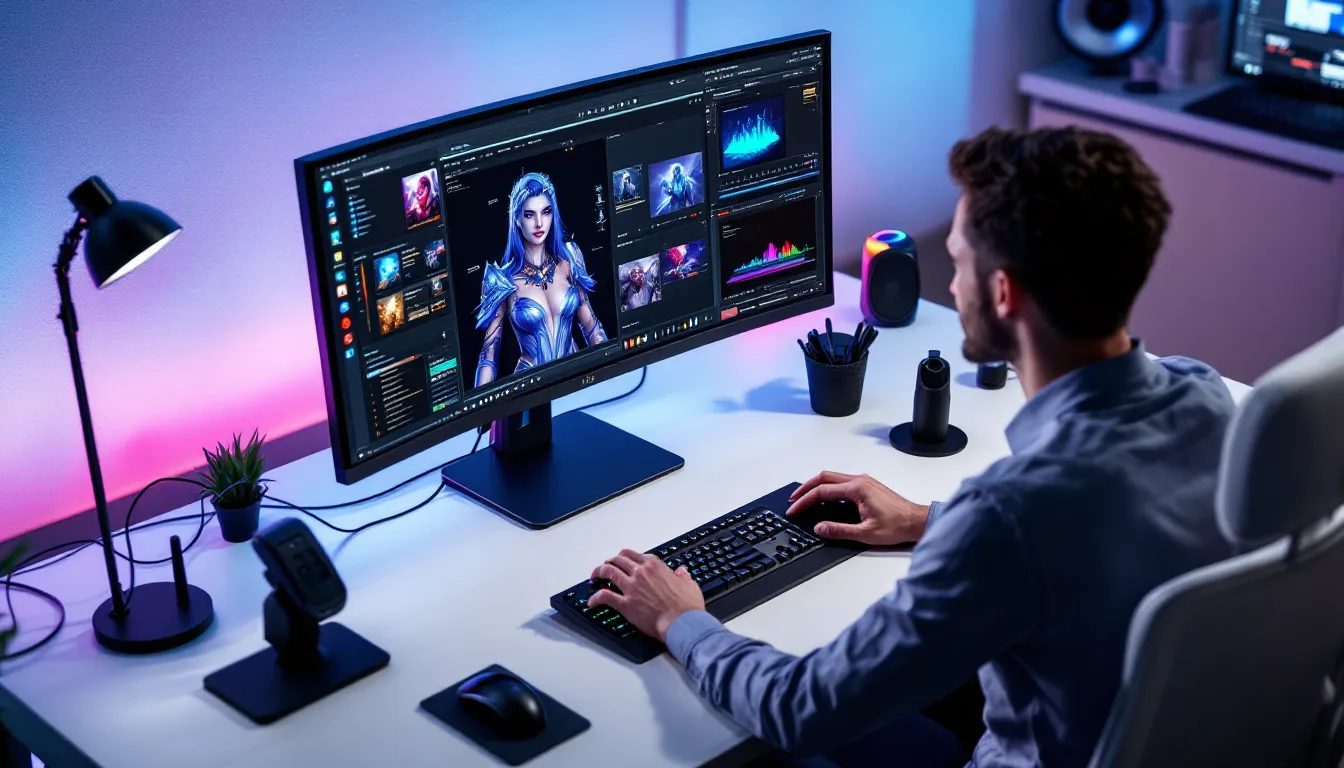
Once loaded, you’re in the main viewer window. Here’s what to expect:
Model selection pane: A dropdown or list showing all champions. Select a champion, and the viewport loads their default skin. Additional dropdowns let you switch between skins (organized by release order or theme).
Viewport controls:
- Mouse: Right-click and drag to rotate the model. Middle mouse button or scroll wheel to zoom. Left-click and drag to pan (if available).
- Keyboard shortcuts: Check the tool’s help menu for animation playback (space to play/pause, arrow keys to frame-step), lighting adjustments, and background toggles.
Animation timeline: If your viewer supports it, you’ll see a timeline at the bottom. Click to jump to specific animations, idle, walk, attack, ability cast, recall, emotes, or dance. Some tools let you slow down or speed up playback.
Lighting and environment: Advanced viewers include toggles for different light sources, reflections, and background presets. These directly impact how a skin looks and are essential for honest previews.
Customizing Your View And Exporting Assets
Once you’ve found the perfect angle, customize your shot:
- Adjust lighting: Toggle directional lights, change their color temperature, or enable ambient lighting for different moods.
- Change backgrounds: Swap from default gray to transparent, gradient, or custom images.
- Zoom and position: Get tight on ability effects or pull back to see the full champion model in their context.
- Capture screenshots: Use your viewer’s export feature or Windows’ native screenshot tool. Most viewers let you set custom resolutions (e.g., 1440p or 4K for content creators).
- Record video: Some tools support video export. Record at 60 FPS, 1080p or higher, then edit in your preferred software.
When exporting, remember file storage. A few minutes of 4K video footage consumes several gigabytes. Budget your disk space accordingly if you’re doing bulk recording.
Best Practices For Model Viewing And Customization
Legal Considerations And Respecting Riot Games
Riot Games’ terms of service permit viewing and discussing champion models for personal use and non-commercial content creation. But, there are boundaries:
What’s allowed:
- Personal skin previewing before purchase.
- Creating educational or entertainment content (YouTube videos, Twitch streams) that features champion models, as long as you credit Riot and don’t frame it as your own creation.
- Using screenshots or exports for personal projects, forums, and social media (with proper attribution).
What’s not allowed:
- Extracting and redistributing Riot’s game assets for profit without permission.
- Creating modified versions of skins and distributing them as standalone mods (even for free) without explicit Riot approval.
- Using extracted models to create derivative products sold commercially without licensing.
- Claiming ownership of Riot’s assets or artwork.
When using a model viewer, stick to personal exploration and content that clearly credits Riot Games. If you’re monetizing content (YouTube ad revenue, Twitch donations), that’s generally fine as long as the content itself isn’t a direct commercial product, you’re creating commentary, analysis, or entertainment around Riot’s assets, not reselling the assets themselves.
Always check the current terms of service and the specific tool’s documentation. Riot’s policies can shift, and staying informed keeps you safe.
Tips For Content Creators And Enthusiasts
If you’re making skin comparisons, tier lists, or spotlights, model viewers unlock professional-quality content:
Lighting matters: Don’t rely on default gray backgrounds. Experiment with different lighting angles to see how skins respond. A prestige skin might look dull under flat lighting but stunning with directional lighting that catches its shimmer.
Consistency across footage: When comparing multiple skins, use identical lighting, camera position, and background for each. This neutralizes bias and gives viewers a fair comparison. Document your settings so you can replicate them later.
Slow-motion ability showcases: Ability animations tell stories. Use your viewer’s playback controls to slow down particle effects, glows, and impacts. Frame-by-frame analysis of a pentakill animation or ultimate effect reveals details invisible at normal speed.
Establish a signature style: Create a consistent visual template for your content. Maybe you always use bright directional lighting with a dark background, or you prefer showcase-style rotating shots with epic music. Consistency builds brand recognition.
Layer with gameplay footage: Use model viewer clips as B-roll alongside actual ranked gameplay or educational content. The clean isolation of a skin complements real-world context nicely.
For enthusiasts simply exploring, take your time. Rotate skins under different lighting, check emotes and recalls you rarely see in-game, and appreciate the artistry that goes into each skin. Model viewers make this exploration possible without needing to load into Practice Tool.
Troubleshooting Common Issues
Performance And Compatibility Problems
Model viewers are lightweight compared to the full League client, but issues can still arise.
Slow performance or lag: If the viewport feels sluggish when rotating models, check your system specs. Older GPUs struggle with real-time rendering, especially at high resolutions. Lower your viewport resolution, disable shadows or reflections if available, and close background apps consuming GPU resources.
Tool won’t launch: Verify you have the correct .NET framework version installed (most tools require .NET 4.5 or newer). If you’re on Windows 11, ensure you’re not running an older tool that wasn’t updated for the OS. Check the tool’s release date, if it hasn’t been updated in over a year, it might be abandoned or incompatible with current League patches.
File permission errors: Running the viewer as Administrator usually fixes permission issues when accessing League directories. Right-click the executable and select “Run as administrator.”
League installed on an external drive: Some tools struggle scanning game files on non-primary drives. Copy your League directory temporarily to your main drive, run the viewer, then move it back. Alternatively, explicitly navigate the tool to your external drive’s League folder.
Model Loading And Rendering Errors
Models won’t load or appear as gray boxes: This typically means the tool couldn’t find texture files. Reinstall League of Legends or verify game files through the Riot launcher to repair corrupted assets. Some tools require a full League installation: patched or minimally-installed versions might fail.
Textures look wrong or overly bright: Your viewer might not be applying textures correctly. Check if there’s a “reload textures” button or setting. If the problem persists, update your GPU drivers, outdated drivers cause rendering glitches.
Animations stutter or freeze: If ability animations stutter during playback, your system is hitting performance limits. Reduce viewport resolution, close other programs, or switch to a lower-poly version of the model if available.
Tool crashes on specific champions or skins: Some newer skins use asset formats that older tools don’t recognize. Update your viewer to the latest version. If crashes continue, the tool might be outdated and no longer maintained, try an alternative viewer. Check Mobalytics community forums or Reddit threads where players discuss currently working tools.
“Game files not found” error: The tool is pointing to the wrong directory. Make sure League is fully installed (not just the launcher). Reinstall or manually navigate the tool to C:Riot GamesLeague of Legends on Windows or the equivalent path on your system.
Future Of League Of Legends Model Viewers
The landscape of model viewers is evolving. As League transitions toward Unreal Engine 5 with Project K and continues visual updates across champions, model extraction becomes more complex but also more rewarding. Newer UE5-based assets are higher fidelity, meaning viewers will showcase even more detail, but tools need to keep pace.
Riot Games’ stance on community tools has been cautiously supportive. The company doesn’t actively shut down personal-use viewers but is protective of commercial misuse. Moving forward, expect Riot to potentially release more official viewing tools or APIs that let creators access model data legitimately. A few studios have already partnered with Riot for content creation, official tools might eventually extend that access more broadly.
Community tool development will likely fragment. Established tools will maintain compatibility with new League patches, while abandoned tools will fall behind. New tools might emerge offering niche features, VR-compatible viewers, AI-powered skin recommendation systems, or integration with streaming overlays.
Mobile viewers are another frontier. As gaming shifts toward cross-platform accessibility, web-based viewers or mobile apps that let you inspect skins on your phone could become viable. The technical barrier is high, but demand exists.
For now, stick with actively maintained tools from trusted communities. Monitor discussions on the League Modding Discord, r/leagueoflegends, and sites like Game8 for recommendations and tool reviews. This ensures you’re using viewers that work with the latest League patches and respect current policies.
Meanwhile, as you explore model viewers, you’re engaging with the same assets that drive League’s visual identity. Understanding how these tools work and respecting their limitations keeps the community healthy and creativity thriving. Whether you’re previewing your next skin purchase or crafting the next viral skin comparison video, a League of Legends model viewer is the bridge between game client and creative vision.
The tools will keep improving. So will the skins they showcase.
Conclusion
League of Legends model viewers have transformed how players and creators interact with champion skins. From confident purchasing decisions to professional-grade content creation, these tools unlock value beyond the in-game client. Whether you’re a casual player questioning a 1350 RP purchase or a content creator sourcing footage for the next skin tier list, knowing how to access and use a model viewer is a practical skill.
The setup process is straightforward, the tools are community-driven and continuously maintained, and the possibilities, once you’ve got access, are nearly endless. Respect Riot’s terms of service, stay informed on which tools are currently safe and functional, and don’t hesitate to experiment with lighting, angles, and animations to discover new perspectives on familiar skins.
As League evolves, so will the tools that let you explore it. Keep your viewers updated, bookmark trusted community spaces for tool recommendations, and remember: the best way to fall in love with a skin is to see it from every angle. Model viewers make that possible.